
Remove unnecessary hand-offs
A purpose-built workflow can guide staff through the right steps, collect the right information and reduce repeated copying between documents or systems.
APPS · THE DETAIL
Custom software is most valuable when it solves a real operational problem: quoting takes too long, onboarding is repetitive, spreadsheets have become business-critical, reports are rebuilt manually or customers are being pushed through a clunky process. We design focused apps around those exact workflows so the business runs more cleanly and presents itself more professionally.
A good app project usually starts with a very ordinary frustration. The difference is that we do not just digitise the existing mess. We break the process into inputs, decisions, rules, exceptions and outputs, then rebuild it into something clearer for staff and better for customers. The result can save time, reduce errors, standardise how work is done and create a noticeably more premium customer experience.
A purpose-built workflow can guide staff through the right steps, collect the right information and reduce repeated copying between documents or systems.
Quote builders, onboarding tools and report generators can turn an internal process into a much more polished customer-facing experience.
Instead of adapting a generic platform to fit, the app can be designed around the rules, calculations, stages and outputs the business already understands.
A builder, installer or contractor can replace a pricing spreadsheet with a guided quote builder that applies agreed rules, collects the right project information and produces a polished customer proposal in minutes.
A consultant, accountant or specialist adviser might use an onboarding workflow, assessment app, calculator or report generator to standardise inputs, reduce admin and deliver a more consistent client experience.
Where a workbook now controls tasks, pricing, approvals or reporting, a focused internal app can add validation, permissions, auditability and a cleaner interface without forcing the business into a huge enterprise platform.
Less repetitive admin means more time on useful work. Better validation means fewer mistakes. Cleaner customer journeys feel more professional. Together, those improvements can help the business scale, protect margin and create a stronger impression at every stage.
Before thinking about screens, we map what information enters the process, which rules or decisions affect it, what the user needs to see, what is produced at the end and what happens when something falls outside the normal route.
We identify what information genuinely needs to be captured, where it comes from and what should be mandatory. Reducing unnecessary fields is often as valuable as adding functionality.
Calculations, pricing logic, eligibility conditions, document choices and workflow branches need to be explicit. Turning those rules into software can remove a surprising amount of repetitive judgement.
The end result might be a quote, PDF report, customer summary, task, email, dashboard entry or another structured output. We design backwards from what the process actually needs to produce.
Where an app contains business or customer data, access, authentication, data minimisation and sensible separation of roles matter. The right level depends on the sensitivity and purpose of the system.
A useful internal app should be understandable enough to change when the business changes. We favour focused tools with a clear job over unnecessary complexity and feature bloat.
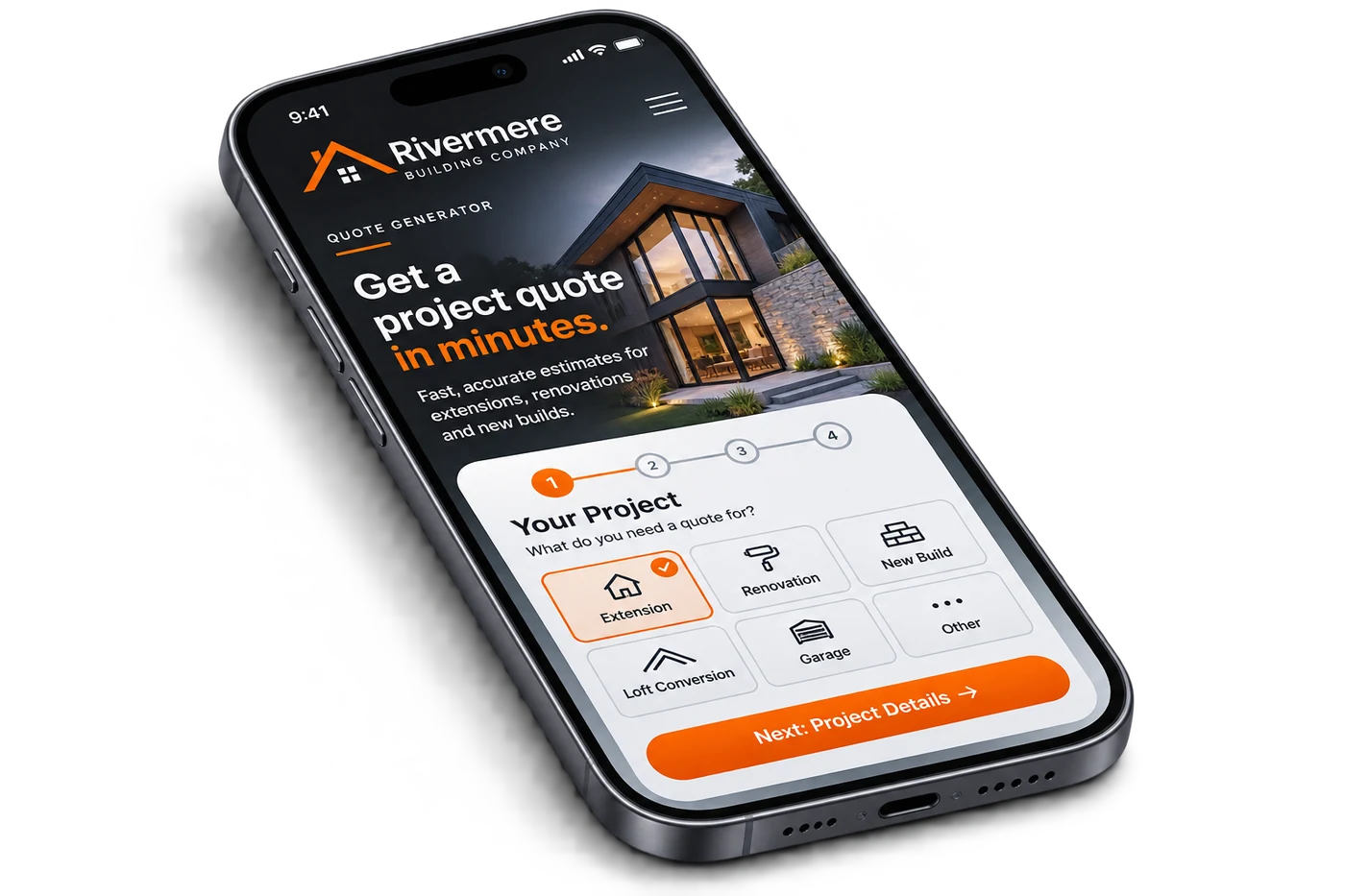
Not every business problem needs a huge platform. Small, well-targeted applications can remove repetitive work and improve the customer experience without replacing every system the company already uses.
Select services, options or quantities, apply the agreed rules and turn the result into a professional quote or proposal.
Structured onboarding can reduce email chains, missing details and duplicated entry while giving the customer a clearer journey.
Turn a repeatable assessment or data-entry process into a branded report without rebuilding the document manually each time.
A focused calculator can expose business logic safely and consistently to staff or customers without relying on a complex spreadsheet.
Where a spreadsheet has effectively become operational software, a dedicated app can add validation, permissions, clearer workflows and a better interface.
Where integrations are appropriate, data can move between forms, documents, notifications and other systems without unnecessary re-keying.
These are the questions that usually sit behind a serious website, SEO or app project.
It is a focused piece of software designed around a particular business process rather than a generic product sold to every industry. It can be customer-facing, internal, or a mixture of both.
No. Some of the most useful projects are deliberately small: a quote generator, onboarding workflow, calculator or report builder that removes a repetitive process.
Often, yes. If a spreadsheet or document is being used as a repeatable operational process, a purpose-built interface can add validation, consistency, permissions and a cleaner customer output.
Potentially. The answer depends on whether the other system provides a suitable API or integration route, the data involved and whether the integration is proportionate to the benefit.
The technical detail matters, but the starting point is still simple: what are you trying to improve, and what would a better result look like?